Turn happy customers into reviews.
Place an ElitezCard Google review card where the experience ends — the counter, the table, reception. Customers tap or scan and land straight on your review page.
- No app needed
- iPhone & Android
- Update anytime
- Pouch included
What is a Google review card?
A Google review card is an NFC and QR card that opens a business's Google review page when a customer taps or scans it. It removes the search step, so customers who are happy to leave a review can do it in seconds.
Also called: NFC review card · tap review card · Google review stand · review QR card.
Choose your card.
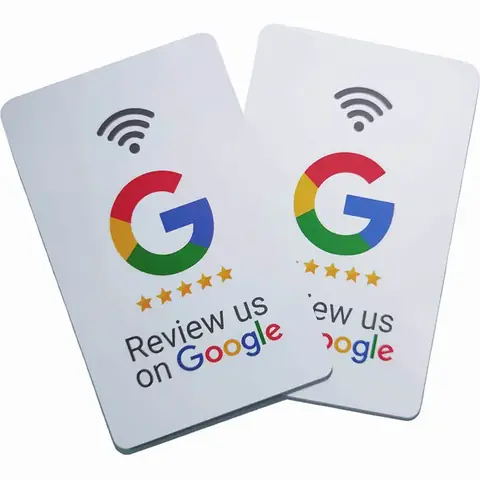
Google Review Card
Tap or scan at the counter to open your Google review page.
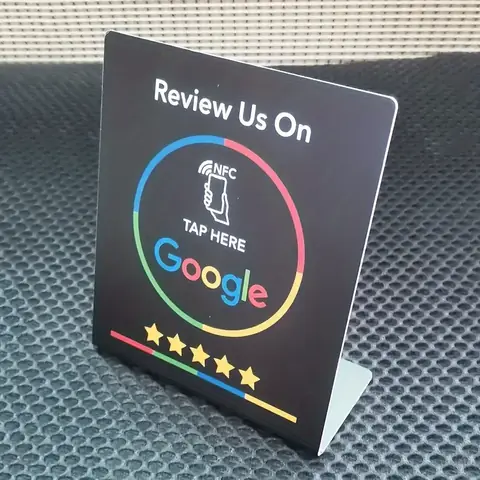
Google Review NFC Stand
Counter stand with NFC + QR that opens your Google review page.
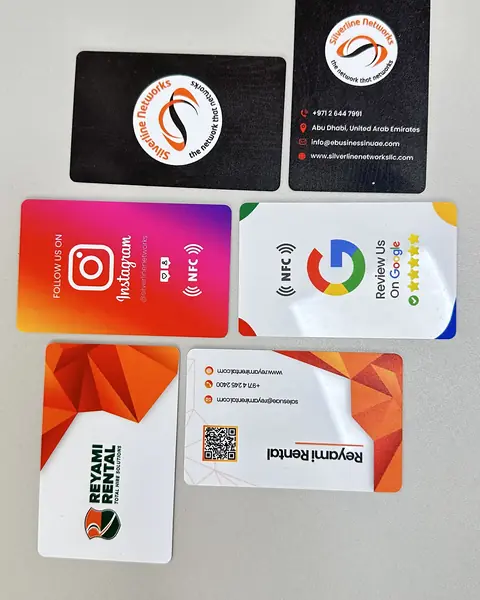
WhatsApp NFC Card
Tap to start a WhatsApp chat with your business — no saving numbers.
Save 25%
Save 40%
Save 50%
Make reviewing take seconds.
The easier it is, the more happy customers actually do it.
One card. Unlimited shares. Zero reprints.
Paper cards are printed, handed out, lost and reprinted. An ElitezCard opens a profile you control — the card you hand over today is still right next year.
Save on printing
Stop paying for boxes of cards that go out of date. One card, unlimited shares — and bulk prices from 5 cards.
Share in one tap
NFC tap or QR scan. Your contact is saved on their phone in seconds.
Never reprint
New title, number or logo? Edit your profile — every card updates.
Go paperless
Fewer print runs and less waste from outdated cards.
See what works
Analytics show how your profile is used, depending on plan.
Pouch included
Every NFC business card comes with an NFC-secured protective pouch.
Asking for reviews: before and after
| Verbal ask only | With an ElitezCard | |
|---|---|---|
| Customer has to | Search, find listing, scroll | Tap or scan |
| Time to start | Minutes | Seconds |
| Works for delivery | No | QR on bag or receipt |
| Follows Google policies | Yes, if no incentives | Yes, if no incentives |
Works in person and online.
More than a link on a card.
Depending on your plan, ElitezCard profiles support:
Built for real work.
Hospitality & Restaurants
Make it easier for guests to find your menu, location, social channels and review destination after service.
Place a review card in the bill folder — guests tap while the experience is fresh.
See Hospitality & RestaurantsWhat to put on the profile
- Menu link
- Google review link
- Instagram / TikTok
- Location and opening hours
- Reservation or WhatsApp booking
Questions, answered.
Short, direct answers about ElitezCard in the UAE. Can't find yours? Ask us on WhatsApp.
How much is a Google review card in the UAE?
Does it work on all phones?
Is a review card allowed by Google?
Can it filter out bad reviews?
Can I change the link later?
Where should I place it?
Do you have a social media version?
No matching questions — try another word or ask us on WhatsApp.
Learn more
How to get more Google reviews in the UAE
Practical, policy-safe ways for UAE restaurants, salons and clinics to get more Google reviews: timing, review cards, staff scripts and what not to do.
Read more How it worksOrdering & tapping guide
How ordering works and how to tap on iPhone and Android.
Read moreReady to never reprint again?
One tap shares your details, you update them anytime, and you stop paying for boxes of paper cards. Order in a few messages on WhatsApp.